
Introduction to Microsoft Office and Its Five Main Products
Microsoft Office is one of the most widely used productivity software suites in the world. Developed by Microsoft, it provides a collection of applications designed to help individuals and businesses create documents, analyze data, communicate professionally, and present information effectively.
For decades, Microsoft Office has been an essential tool for students, professionals, educators, and organizations. From writing reports to managing financial spreadsheets and delivering presentations, the software suite supports a wide range of everyday tasks.
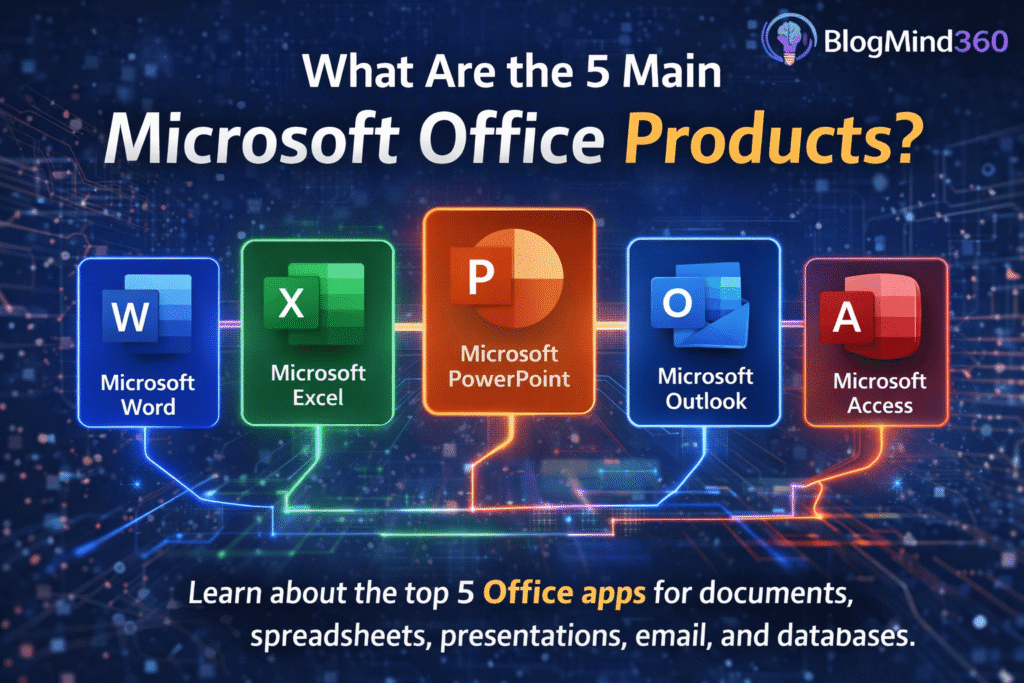
A common question many people ask is what are the 5 main Microsoft Office products. While the Microsoft Office ecosystem includes many different applications, five core programs are considered the foundation of the suite. These applications are used globally across schools, offices, and businesses.
The five main Microsoft Office products are:
- Microsoft Word
- Microsoft Excel
- Microsoft PowerPoint
- Microsoft Outlook
- Microsoft Access
Each of these applications serves a unique purpose and plays an important role in improving productivity and information management.
Understanding these tools helps individuals and businesses use Microsoft Office more effectively.
Why Microsoft Office Is Important
Microsoft Office has become the standard productivity platform for organizations around the world. Its applications allow users to create, edit, share, and store information efficiently.
The software suite helps people complete important tasks such as:
- Writing documents and reports
- Managing data and financial calculations
- Creating presentations for meetings
- Communicating through email
- Organizing and storing large datasets
Because these tasks are common in almost every profession, Microsoft Office has become an essential digital skill in modern workplaces.
Learning how the five core Microsoft Office products work can significantly improve productivity and professional communication.
The Evolution of Microsoft Office
Microsoft Office was first released in 1989 and has evolved significantly over the years. Early versions of the software were primarily used on desktop computers.
Today, Microsoft Office is available as part of Microsoft 365, a cloud-based platform that allows users to access Office applications from multiple devices including laptops, tablets, and smartphones.
This cloud integration enables features such as:
- Real-time collaboration
- Automatic file synchronization
- Cloud storage
- Online document sharing
These improvements have made Microsoft Office even more powerful and flexible for modern work environments.
Microsoft Word – The Most Popular Word Processing Software
Microsoft Word is the most widely used word processing program in the world. It allows users to create, edit, and format written documents for personal, academic, and professional purposes.
Microsoft Word is commonly used to create:
- Business reports
- Letters
- Research papers
- Resumes
- Books and manuscripts
The application includes many formatting tools that help users design professional documents with headings, fonts, images, tables, and page layouts.
Some key features of Microsoft Word include:
- Spell checking and grammar suggestions
- Document templates
- Table and chart creation
- Image insertion and formatting
- Real-time collaboration with other users
Because of its flexibility and ease of use, Microsoft Word has become the standard software for document creation in offices and schools.
Microsoft Excel – The Leading Spreadsheet Application
Microsoft Excel is a powerful spreadsheet program used for organizing, analyzing, and visualizing data.
Excel allows users to store information in rows and columns, making it easy to perform calculations and analyze large datasets.
Businesses rely heavily on Excel for financial analysis, budgeting, forecasting, and data management.
Common uses of Microsoft Excel include:
- Financial calculations and accounting
- Budget planning
- Data analysis and statistics
- Inventory management
- Project tracking
Excel includes many advanced features such as formulas, functions, pivot tables, and charts that help users transform raw data into meaningful insights.
For professionals working with numbers and data, Excel is one of the most valuable tools available in Microsoft Office.
Microsoft PowerPoint – Creating Professional Presentations
Microsoft PowerPoint is the most popular software for creating visual presentations. It allows users to design slides that combine text, images, charts, animations, and videos.
PowerPoint is commonly used in business meetings, educational lectures, marketing presentations, and conferences.
The software helps presenters communicate ideas clearly through visual storytelling.
Some key features of Microsoft PowerPoint include:
- Slide templates and themes
- Animation and transition effects
- Charts and data visualization
- Multimedia integration
- Presenter view and slideshow tools
These features help users create engaging presentations that effectively communicate information to audiences.
Preparing to Explore the Remaining Microsoft Office Products
While Word, Excel, and PowerPoint are the most widely used applications in Microsoft Office, the suite also includes powerful tools for communication and data management.
In the next section, we will explore two additional core applications: Microsoft Outlook and Microsoft Access. These programs help users manage email communication and organize complex databases efficiently.
Microsoft Outlook and Microsoft Access – Two Essential Microsoft Office Applications
Continuing the explanation of what are the 5 main Microsoft Office products, the next two important applications in the Microsoft Office suite are email management software and database management tools. These programs help organizations communicate efficiently and store large amounts of structured information.
Along with word processing, spreadsheets, and presentations, communication and data management are essential for modern businesses. That is why the Microsoft Office suite includes specialized tools designed to handle these tasks.
Two key applications that support these functions are Microsoft Outlook and Microsoft Access.
Both applications play a crucial role in improving productivity and helping organizations manage information more effectively.
Understanding how these tools work completes the answer to the question what are the 5 main Microsoft Office products.
Microsoft Outlook – Email and Communication Management
Microsoft Outlook is a powerful email and personal information management application included in the Microsoft Office suite. It is widely used by businesses, organizations, and individuals for managing professional communication.
While many people think of Outlook primarily as an email program, it actually includes several tools designed to organize daily work and improve productivity.
Outlook integrates email, calendars, contacts, and task management into one unified platform.
This integration helps users manage communication, schedule meetings, and track important responsibilities.
Main Functions of Microsoft Outlook
Microsoft Outlook provides a variety of features that support professional communication and organization.
Some of the key functions include:
- Email management
- Calendar scheduling
- Contact organization
- Task and reminder management
- Meeting invitations and scheduling
These features make Outlook a central hub for workplace communication.
Email Management in Outlook
Email is one of the most widely used communication tools in professional environments, and Outlook provides advanced tools for organizing and managing email messages.
Users can create folders, filter messages, categorize emails, and flag important messages for follow-up.
Outlook also includes spam filtering and security features that help protect users from unwanted or malicious emails.
Businesses often use Outlook together with Microsoft Exchange or Microsoft 365 to manage corporate email systems.
These services allow employees to access email accounts from multiple devices and collaborate more effectively.
Calendar and Scheduling Features
One of the most valuable features of Outlook is its integrated calendar system.
Users can schedule meetings, set reminders, and coordinate events with colleagues.
The calendar allows users to:
- Schedule meetings and appointments
- Send meeting invitations
- View availability of team members
- Set reminders for important events
These scheduling tools help organizations manage time efficiently and coordinate teamwork across departments.
Task and Productivity Management
Outlook also includes task management features that allow users to track projects and responsibilities.
Users can create task lists, set deadlines, and receive reminders for upcoming tasks.
These productivity tools help professionals stay organized and ensure that important responsibilities are completed on time.
Microsoft Access – Database Management and Data Organization
Another important program included in the Microsoft Office suite is Microsoft Access. This application is designed for managing databases and organizing large amounts of structured information.
Unlike Microsoft Excel, which stores data in spreadsheets, Access uses a relational database system that allows users to create complex relationships between different data tables.
This makes Access particularly useful for businesses that need to manage large datasets efficiently.
What Is a Database
A database is a structured collection of information that can be stored, organized, and retrieved easily.
Businesses often use databases to manage information such as:
- Customer records
- Employee information
- Inventory data
- Sales transactions
- Project management data
Microsoft Access provides tools that help users create and manage these databases without requiring advanced programming knowledge.
Key Components of Microsoft Access
Access organizes data using several important components.
These components include:
- Tables
- Queries
- Forms
- Reports
Each component serves a specific purpose within the database system.
Tables
Tables are used to store raw data in rows and columns. Each row represents a record, and each column represents a specific data field.
For example, a customer database table might include fields such as name, address, phone number, and purchase history.
Queries
Queries allow users to search and filter information within a database.
Using queries, users can retrieve specific records based on conditions.
For example, a query might display all customers who placed orders within the last month.
Forms
Forms provide a user-friendly interface for entering and editing data in a database.
Instead of typing directly into tables, users can interact with forms designed for specific tasks.
Reports
Reports allow users to present database information in organized and visually structured formats.
Businesses often use reports to analyze sales data, generate invoices, or summarize information for management.
Advantages of Using Microsoft Access
Microsoft Access offers several advantages for organizations that need to manage large datasets.
Some of these benefits include:
- Efficient data storage and organization
- Ability to manage complex relationships between data tables
- Customizable forms and reports
- Integration with other Microsoft Office applications
Because of these capabilities, Access is commonly used in small and medium-sized businesses for managing structured information.
How Microsoft Office Applications Work Together
One of the biggest strengths of Microsoft Office is the ability for its applications to integrate with each other.
For example:
- Data from Excel can be imported into Access databases
- Outlook emails can include Word documents and PowerPoint presentations
- Excel charts can be inserted into PowerPoint slides
This seamless integration allows users to move information easily between different applications and create more powerful workflows.
For instance, a company might analyze financial data in Excel, create a report in Word, and present the results using PowerPoint.
The ability to combine these tools improves productivity and efficiency.
Why Learning Microsoft Office Is Important
Microsoft Office skills are among the most valuable digital skills in modern workplaces.
Many employers expect workers to have basic knowledge of Office applications because these tools are widely used across industries.
Learning how to use the five main Microsoft Office products can help individuals:
- Improve productivity
- Communicate professionally
- Analyze data effectively
- Organize information efficiently
These skills are useful for students, office professionals, entrepreneurs, and business leaders.
Why the Five Main Microsoft Office Products Are Important and How They Are Used
Understanding what are the 5 main Microsoft Office products is important because these tools form the foundation of modern digital productivity. Millions of businesses, schools, and organizations rely on Microsoft Office every day to create documents, analyze information, communicate with teams, and manage data.
The five core Microsoft Office applications each serve a unique purpose, but they also work together seamlessly. This integration allows users to move information easily between programs and complete complex tasks more efficiently.
These applications remain essential because they support many of the activities people perform in professional and academic environments.
Quick Recap of the Five Main Microsoft Office Products
The five primary applications in the Microsoft Office suite are:
- Microsoft Word – Used for creating and editing documents
- Microsoft Excel – Used for spreadsheets, calculations, and data analysis
- Microsoft PowerPoint – Used for creating visual presentations
- Microsoft Outlook – Used for email communication and scheduling
- Microsoft Access – Used for database management
Each program focuses on a specific productivity task, allowing users to complete different types of work effectively.
How Businesses Use Microsoft Office
Businesses across almost every industry rely on Microsoft Office tools to manage daily operations. These applications help organizations create professional documents, communicate internally, and analyze business performance.
Document Creation and Reporting
Companies frequently use Microsoft Word to prepare business documents such as:
- Contracts and agreements
- Company reports
- Business proposals
- Training manuals
- Employee policies
Word allows organizations to create professional documents that follow consistent formatting and branding guidelines.
Data Analysis and Financial Management
Microsoft Excel plays a major role in business data management. It allows companies to analyze financial information, track sales performance, and create forecasts.
Businesses commonly use Excel for:
- Budget planning
- Sales tracking
- Financial analysis
- Inventory management
- Data visualization through charts
Because Excel supports formulas and automated calculations, it is extremely useful for handling large datasets.
Business Presentations
Microsoft PowerPoint helps professionals communicate ideas visually. Businesses often use presentations during meetings, conferences, and client pitches.
PowerPoint allows presenters to combine text, images, charts, and animations to explain complex ideas clearly.
Common uses of PowerPoint include:
- Sales presentations
- Project updates
- Training sessions
- Investor presentations
The visual nature of PowerPoint helps audiences understand information quickly.
Professional Communication
Email communication is an essential part of modern workplaces. Microsoft Outlook helps organizations manage internal and external communication efficiently.
Outlook allows professionals to:
- Send and receive emails
- Schedule meetings
- Manage contacts
- Track tasks and reminders
The integrated calendar system helps teams coordinate schedules and plan meetings.
Data Storage and Database Management
For businesses that manage large volumes of structured data, Microsoft Access provides a powerful solution.
Access databases help organizations store and retrieve information efficiently.
Companies use Access to manage data such as:
- Customer records
- Product inventories
- Employee information
- Sales transactions
By organizing information into structured databases, businesses can access critical data quickly and accurately.
Microsoft Office in Education
Microsoft Office is widely used in educational institutions around the world. Students and teachers rely on these applications to complete assignments, prepare presentations, and organize information.
For students, learning Microsoft Office skills is often an important part of digital literacy.
Examples of how students use Office tools include:
- Writing research papers in Word
- Analyzing data in Excel
- Creating classroom presentations in PowerPoint
- Communicating with teachers through Outlook
These skills help students prepare for professional careers where Office tools are commonly used.
Benefits of Using Microsoft Office
Microsoft Office remains one of the most popular productivity platforms because it offers several advantages.
User Friendly Interface
Microsoft Office applications are designed to be easy to use. The familiar interface allows new users to quickly learn how to navigate the tools.
Powerful Features
Each application includes advanced features that support professional work.
For example:
- Excel supports complex formulas and data analysis
- Word includes advanced formatting tools
- PowerPoint allows multimedia presentations
These capabilities make Office tools suitable for both simple and advanced tasks.
Cloud Integration
With the introduction of Microsoft 365, users can store files in the cloud and access them from anywhere.
Cloud integration allows teams to collaborate in real time, making it easier to work together remotely.
Cross Application Compatibility
Another major advantage of Microsoft Office is that its applications integrate seamlessly.
For example:
- Excel charts can be inserted into PowerPoint presentations
- Word documents can include data tables from Excel
- Outlook emails can include attachments from other Office applications
This compatibility helps users manage information across multiple programs efficiently.
The Role of Microsoft 365
Modern versions of Microsoft Office are often delivered through Microsoft 365, a subscription-based platform that includes cloud services and online collaboration tools.
Microsoft 365 allows users to:
- Access Office applications online
- Collaborate on documents in real time
- Store files in cloud storage
- Work across multiple devices
These features make Microsoft Office more flexible and suitable for remote work environments.
The Future of Microsoft Office
As technology continues to evolve, Microsoft Office is also evolving to include new features powered by artificial intelligence and cloud technology.
Future updates may include:
- AI-powered writing suggestions in Word
- Automated data analysis in Excel
- Intelligent presentation design in PowerPoint
- Smart scheduling features in Outlook
These innovations will make Office tools even more powerful and easier to use.
Why Microsoft Office Skills Are Valuable
Learning how to use Microsoft Office is an important skill in today’s digital world. Many employers expect employees to be familiar with these tools.
Microsoft Office skills can help individuals:
- Improve workplace productivity
- Create professional documents and presentations
- Analyze business data effectively
- Communicate clearly with colleagues and clients
Because these tools are used globally, proficiency in Microsoft Office can improve career opportunities in many fields.
Frequently Asked Questions About the Five Main Microsoft Office Products
What are the 5 main Microsoft Office products
The five main Microsoft Office products are Microsoft Word, Microsoft Excel, Microsoft PowerPoint, Microsoft Outlook, and Microsoft Access.
Which Microsoft Office program is used for writing documents
Microsoft Word is the primary application used for creating and editing documents such as letters, reports, and resumes.
What is Microsoft Excel used for
Microsoft Excel is used for creating spreadsheets, performing calculations, analyzing data, and generating charts.
Which Office application is used for presentations
Microsoft PowerPoint is used for creating visual presentations with slides that include text, images, and animations.
What does Microsoft Outlook do
Microsoft Outlook is used for email communication, scheduling meetings, managing contacts, and organizing tasks.
What is Microsoft Access used for
Microsoft Access is used for creating and managing databases that store and organize large amounts of information.
Is Microsoft Office used by businesses
Yes, Microsoft Office is widely used by businesses for document creation, data analysis, presentations, and communication.
Can Microsoft Office applications work together
Yes, Microsoft Office applications are designed to integrate with each other, allowing users to share data and files across different programs.
What is Microsoft 365
Microsoft 365 is a cloud-based subscription service that provides access to Microsoft Office applications along with online storage and collaboration tools.
Why is Microsoft Office important to learn
Learning Microsoft Office helps improve productivity, supports professional communication, and prepares individuals for many modern workplace tasks.
Final Thoughts
Understanding what are the 5 main Microsoft Office products helps individuals use one of the world’s most powerful productivity tools more effectively.
Microsoft Word, Excel, PowerPoint, Outlook, and Access each provide unique capabilities that support communication, data management, and professional collaboration.