
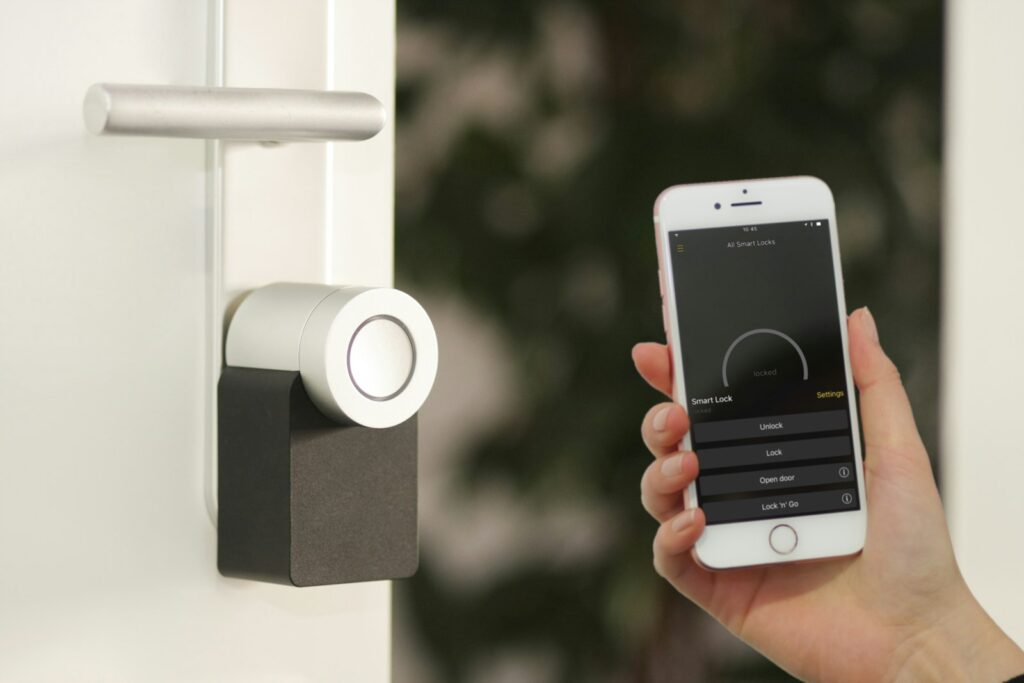
Quick Answer: The best smart lock overall in 2026 is the Yale Assure Lock 2, offering the best balance of price and features at $180-$260 depending on connectivity, with no required subscription and a 250-code capacity that beats most competitors. Schlage is the best choice for maximum physical security, with ANSI/BHMA Grade 1 certification (the highest residential rating) and the Encode Plus supporting Apple Home Key tap-to-unlock, though prices start above $200 and climb to $330. August remains the best option for renters, since its retrofit design mounts over your existing deadbolt without replacing any hardware, starting around $150-$250.
Key Takeaways
- None of the three major brands compared here — August, Schlage, or Yale — requires a mandatory monthly subscription for core smart lock features like remote lock/unlock and access code management.
- Schlage’s Encode Plus is one of only a handful of smart locks supporting Apple Home Key, letting you unlock by tapping an iPhone or Apple Watch to the lock, even with a depleted phone battery.
- Yale Assure Lock 2 stores up to 250 access codes via the app, meaningfully more than Schlage Encode Plus’s 100-code capacity, which matters for rental properties or households with frequent guest turnover.
- Schlage is the only one of the three brands with ANSI/BHMA Grade 1 certification, the highest residential security rating, resisting lock bumping, picking, and forced entry better than Grade 2 competitors like Yale and August.
- Budget alternatives like Kwikset Halo Touch ($180, fingerprint) and Wyze Lock Bolt ($79) undercut all three major brands here, worth a look if price is the top priority.
- August requires no deadbolt replacement at all — it retrofits over your existing hardware in about 20 minutes, making it the only genuinely renter-friendly option of the three when a landlord won’t allow permanent hardware changes.
Best Smart Locks 2026: Quick Comparison
| Brand | Best For | Price Range | Security Grade |
|---|---|---|---|
| Yale Assure Lock 2 | Best overall value | $180-$260 | Grade 2 |
| Schlage Encode / Encode Plus | Maximum security, Apple users | $200-$330 | Grade 1 |
| August Wi-Fi Smart Lock | Renters, retrofit installs | $150-$250 | Uses existing deadbolt |
All three brands sell locks that connect via Wi-Fi, Bluetooth, or both, and none locks core features behind a subscription — a real point of consistency across the category. Here’s how each one actually differs.
Yale Assure Lock 2: Best Overall Value
Yale combines over 180 years of physical lock-making experience with a smart lock lineup that consistently undercuts Schlage on price without giving up much in the way of features that most households actually need.
Yale’s models and pricing
The Assure Lock 2 comes in four basic configurations across three finishes. The Bluetooth-only version starts around $160-$180, while the Wi-Fi version (which connects directly without needing a separate bridge) runs $198.94-$260 depending on retailer and current promotions. Yale also sells the Assure Lock 2 Plus, which adds Apple Home Key support for tap-to-unlock, and the Assure Lock 2 Touch, Yale’s first biometric model with fingerprint access built in. All Wi-Fi models eliminate the need for a separate bridge device, a genuine advantage over older smart lock designs that required additional hardware to get remote access working.
Yale’s features and limitations
The Assure Lock 2 stores up to 250 access codes via the Yale Access app — more than double Schlage Encode Plus’s 100-code limit — making it a stronger fit for rental properties or larger households with frequent guest turnover. It works with Alexa, Google Home, and Apple HomeKit (on the Sense model), and Yale states the lock is fully Matter-compatible, though the Matter module itself has faced repeated availability delays since it was first announced. No subscription is required for any standard feature, including remote lock/unlock and activity logs.
Yale pros and cons
- Pros: Best price-to-feature ratio of the three brands, 250-code capacity beats both competitors, no subscription required for any core feature, wide range of finishes and configurations.
- Cons: Only Grade 2 security certification (below Schlage’s Grade 1), promised Matter support has faced repeated delays, base Bluetooth-only model needs an added module for full remote access.
Schlage: Best for Maximum Security
Schlage has built commercial-grade locks for banks and office buildings for nearly a century, and its residential smart lock lineup brings that same security-first engineering to the front door — at a price premium over Yale and August.
Schlage’s lineup and Apple Home Key
The Encode, Schlage’s standalone Wi-Fi smart lock, costs around $200-$300 and requires no separate hub. The Encode Plus, at $259-$330, is the standout model in the lineup: it’s one of only a few smart locks on the market supporting Apple Home Key, letting you tap an iPhone or Apple Watch to unlock the door exactly like Apple Pay at a store — and critically, this works even if your phone’s battery is fully depleted, since Home Key uses a low-power NFC mode. The Connect model, at around $240, uses Z-Wave instead of Wi-Fi and is designed specifically to integrate with security system hubs like Abode, Vivint, and Ring Alarm. A newer, more affordable Arrive model rounds out the lineup at around $150 with a 250-code capacity, aimed at Airbnb hosts managing high guest turnover.
Schlage’s security credentials
Every Encode-line lock carries ANSI/BHMA Grade 1 certification, the highest residential security rating available, meaning significantly better resistance to lock bumping, picking, and forced entry than the Grade 2 certification common among competitors, including Yale. Schlage backs its locks with a lifetime mechanical and finish warranty (electronics are covered for 3 years), and every model includes a built-in forced-entry alarm that detects and alerts on tampering attempts.
Schlage pros and cons
- Pros: Only Grade 1 certified lock in this comparison, Encode Plus is one of the few locks anywhere supporting Apple Home Key, lifetime mechanical warranty, built-in tamper alarm on every model.
- Cons: Most expensive lineup of the three brands with no true budget option, bulkier physical design than August or Yale, promised Matter support (via the upcoming Schlage Arrive) has not yet materialized.
August: Best for Renters
August takes a fundamentally different approach than Schlage or Yale: rather than replacing your existing deadbolt, it retrofits directly over it, which is precisely why it remains the go-to recommendation for renters who can’t or don’t want to swap out their door hardware.
August’s lineup and retrofit design
August (owned by ASSA ABLOY alongside sister brand Yale) sells three models: the Smart Lock + Connect (the most basic, around $150), the Smart Lock Pro, and the flagship August Wi-Fi Smart Lock, priced $199-$249. All three mount on the interior side of your existing deadbolt in roughly 20 minutes, using your original exterior keyhole and hardware — a real advantage for anyone who needs to preserve the ability to revert to a standard key when they move out. The Wi-Fi Smart Lock connects directly without a separate bridge, while the more basic Connect model requires an additional Wi-Fi bridge accessory to enable remote access away from home.
August’s features and security
August locks support auto-lock and auto-unlock based on your phone’s location, Visitor Passes for temporary guest access, and activity logs showing who has come and gone. They use two-factor authentication and AES 128-bit encryption, and pair with August’s own line of doorbell cameras for a matched ecosystem. Because August retrofits over an existing deadbolt rather than replacing it, its effective security grade is really whatever your underlying deadbolt already provides — a meaningful difference from Schlage and Yale, which sell complete, independently rated lock hardware.
August pros and cons
- Pros: Only retrofit option of the three brands, preserves your original keyhole and deadbolt for easy reversal, fastest and simplest installation (roughly 20 minutes), works with Apple HomeKit.
- Cons: Security is only as good as your existing deadbolt since August doesn’t replace it, base Connect model needs an additional bridge accessory for full remote functionality, historically less consistent app reliability than Yale or Schlage according to several reviewers.
Cheaper Alternatives Worth Knowing About
Yale, Schlage, and August cover the most established names in the category, but several other brands consistently undercut all three on price without sacrificing core functionality. Kwikset Halo Touch, at around $180, adds a fingerprint reader alongside Wi-Fi connectivity and Kwikset’s own SmartKey re-keying technology, making it a strong value pick for anyone who wants biometric unlock without paying Yale Assure Lock 2 Touch or Schlage prices. Ultraloq’s U-Bolt Pro, around $130-$170, packs six unlock methods (including fingerprint) into one of the most feature-dense budget locks available. On the true budget end, Wyze Lock Bolt costs around $79 and includes a fingerprint scanner and roughly 8 months of battery life, making it one of the cheapest genuinely smart locks on the market, though with a more limited companion app and ecosystem than the three brands compared above. None of these three match Schlage’s Grade 1 certification or Yale’s code capacity, but for a tighter budget, they’re worth cross-shopping before committing to one of the major brands.
How to Choose the Right Smart Lock
If you own your home and want the best all-around balance of price, features, and code capacity, Yale Assure Lock 2 is the safest default, particularly for larger households or rental properties that need to manage more than 100 active codes. If maximum physical security is the priority, or you’re deep in the Apple ecosystem and want Home Key tap-to-unlock, Schlage’s Grade 1 certification and Encode Plus justify the price premium. If you’re renting and can’t replace your existing deadbolt, or you simply want the fastest, least invasive installation, August’s retrofit design is the only real option among the three that doesn’t require swapping your door hardware.
Matching the lock to your situation
Airbnb and short-term rental hosts with frequent guest turnover should prioritize code capacity above all else — Yale’s 250 codes or Schlage’s newer, cheaper Arrive model (also 250 codes) both outperform the 100-code Encode Plus for this specific use case, and Schlage’s native Airbnb integration automatically generates and expires guest codes tied to confirmed bookings. Households already running a security system hub like Abode, Vivint, or Ring Alarm should look at Schlage Connect specifically, since its Z-Wave radio integrates directly with those ecosystems rather than requiring a separate Wi-Fi connection. Renters facing a lease that prohibits permanent hardware changes should treat August as close to a mandatory choice, since Schlage and Yale both require fully replacing the deadbolt.
Wi-Fi versus Bluetooth: what the connectivity choice actually means
Every brand in this comparison sells both Wi-Fi and Bluetooth-only variants, and the difference matters more than it might seem. A Wi-Fi lock connects directly to your home network, letting you lock, unlock, and check status remotely from anywhere with an internet connection — genuinely useful for checking whether you forgot to lock up after leaving. A Bluetooth-only lock only communicates with your phone when you’re physically nearby (typically within about 30-40 feet), meaning you lose remote access unless you add a bridge accessory to connect it to your Wi-Fi network. Wi-Fi locks also tend to drain batteries faster than Bluetooth or Z-Wave models, since maintaining a constant network connection uses more power than a lock that only wakes up when your phone is close by.
Related Home Security Guides
A smart lock is often just one layer of a broader home security setup. For a full alarm system comparison, see our guide to the best home security systems, covering ADT, SimpliSafe, Ring Alarm, and Vivint. If you’re also upgrading your front door with a camera, our comparison of the best video doorbells covers Ring, Nest, and Arlo. And since many smart locks depend on a stable home network connection to function remotely, our roundup of the best rural internet options is worth checking if connectivity at your address is inconsistent.
Frequently Asked Questions
What is the best smart lock overall in 2026?
Yale Assure Lock 2 offers the best overall balance of price, features, and code capacity for most households. Schlage is the better choice specifically for maximum physical security or Apple Home Key support, while August is the best option for renters who can’t replace their existing deadbolt.
Do smart locks require a monthly subscription?
No, not for core features. August, Schlage, and Yale all offer full remote lock/unlock, access code management, and activity logs without any required subscription. This is a genuine point of consistency across the category in 2026.
What is Apple Home Key and which locks support it?
Apple Home Key lets you unlock a compatible lock by tapping an iPhone or Apple Watch to it, similar to Apple Pay, and it works even when your phone’s battery is fully depleted since it uses a low-power NFC mode. Schlage Encode Plus and Yale Assure Lock 2 Plus are among the few smart locks currently supporting it.
Which smart lock has the best physical security rating?
Schlage’s Encode line is the only one of the three brands compared here with ANSI/BHMA Grade 1 certification, the highest residential security rating, offering better resistance to lock bumping, picking, and forced entry than the Grade 2 certification common on Yale and other competitors.
Can renters install a smart lock without violating their lease?
Generally, yes, with August. Its retrofit design mounts over your existing deadbolt without any permanent modification, and it can be removed and the original hardware restored when you move out. Schlage and Yale both require fully replacing the deadbolt, which most leases prohibit without landlord approval.
Which smart lock is best for Airbnb or rental properties?
Yale Assure Lock 2 (250 codes) and Schlage’s newer Arrive model (also 250 codes) both handle high guest turnover better than Schlage Encode Plus, which caps out at 100 codes. Schlage also offers native Airbnb integration that automatically generates and expires guest codes tied to confirmed bookings.
Do these smart locks work with Matter?
Support is inconsistent as of 2026. Yale states the Assure Lock 2 is Matter-compatible, but its Matter module has faced repeated availability delays. Schlage’s upcoming Arrive model has promised Matter support that hadn’t materialized as of early 2026. Neither brand’s Matter rollout should be assumed complete without checking current availability directly.
What happens if the batteries die on a smart lock?
All three brands include a physical backup key or key override, so you’re never fully locked out even with dead batteries. Most models also send low-battery warnings well in advance, and typical battery life runs 6-12 months for Wi-Fi models and 12+ months for Bluetooth or Z-Wave-only models, which use less power.
Are there cheaper smart locks than Yale, Schlage, and August?
Yes. Kwikset Halo Touch (around $180) adds fingerprint access at a lower price than comparable biometric models from the major brands, Ultraloq’s U-Bolt Pro (around $130-$170) packs multiple unlock methods into a budget-friendly package, and Wyze Lock Bolt (around $79) is one of the cheapest genuinely smart locks available, though with a more limited app ecosystem.
Should I get a Wi-Fi or Bluetooth-only smart lock?
Choose Wi-Fi if you want to lock, unlock, or check status remotely from anywhere, since it connects directly to your home network. Choose Bluetooth-only if you mainly want convenient keyless entry when you’re near the door and don’t need remote access, since it uses less battery and typically costs less, though you’ll need an added bridge accessory for any remote functionality.