Quick answer: The Apple AirTag is the best Bluetooth tracker if you’re fully on iPhone, thanks to Precision Finding and Apple’s massive Find My network. If you’re on Android, the Samsung Galaxy SmartTag2 is the strongest pick for Samsung users, while Chipolo ONE Point works best for the wider Android ecosystem through Google’s Find Hub network. For mixed iPhone-and-Android households, the Tile Pro offers the best cross-platform flexibility, and budget-focused buyers should look at Ugreen’s Find My-compatible tags.
With travel season in full swing, searches for luggage trackers and item finders have spiked noticeably. Losing track of a bag at a crowded airport or misplacing your keys on the way out the door is a genuinely common frustration, and Bluetooth trackers have become one of the simplest, cheapest ways to solve it. But the market has grown well beyond the original AirTag — there’s now a real decision to make depending on your phone, your budget, and what exactly you’re trying to keep tabs on.
How Bluetooth Trackers Actually Work
Unlike a dedicated GPS tracker, most Bluetooth trackers don’t have their own cellular connection. Instead, they rely on a “crowd-finding” network — every nearby phone running the same app (anonymously and privately) detects the tag’s Bluetooth signal and reports its approximate location back to you. Apple’s AirTag uses the Find My network of hundreds of millions of iPhones; Google’s Find Hub does the same thing across Android devices; and third-party brands like Tile run their own separate network built from users of the Tile app.
This is exactly why network size matters as much as the tracker’s own hardware — a tag on a lesser-used network will struggle to get located in less populated areas, while one on Apple’s or Google’s massive networks tends to get pinpointed quickly almost anywhere.
Best Bluetooth Trackers in 2026
1. Apple AirTag — Best for iPhone Users
If you’re fully inside Apple’s ecosystem, the AirTag remains the most polished option available. It taps into Apple’s Find My network — easily the largest crowd-finding network in the world — and on newer iPhones with Ultra Wideband support, it offers Precision Finding, which guides you to the exact spot with an on-screen arrow and distance readout rather than just a rough “nearby” indicator. Setup takes seconds, and the built-in speaker is loud enough to locate a tag buried in a couch or bag. The main catch is that AirTags are Bluetooth discs with no built-in hole, so you’ll need a separate keychain or holder accessory to attach one to keys or a bag.
2. Samsung Galaxy SmartTag2 — Best for Samsung Users
Samsung’s SmartTag2 is the natural choice if you’re using a Galaxy phone, offering Ultra Wideband precision finding on compatible models along with an impressively long battery life compared to most competitors. It integrates directly into Samsung’s SmartThings Find network and app, which most Galaxy owners already have installed. It’s worth being clear that this isn’t intended as a universal solution for iPhone users — it’s built specifically to work best within Samsung’s own ecosystem.
3. Chipolo ONE Point — Best for the Wider Android Ecosystem
For Android users outside the Samsung ecosystem, Chipolo ONE Point is purpose-built for Google’s Find Hub network, giving it access to the same broad, crowd-sourced device coverage that AirTag enjoys on iPhone. It’s simple, loud, and has a built-in loop for attaching directly to keys without needing a separate accessory — a small but genuinely useful advantage over the AirTag’s disc-only design.
4. Tile Pro — Best for Mixed iPhone and Android Households
Tile was the original Bluetooth tracker company, predating the AirTag entirely, and the Tile Pro remains a genuinely strong pick — especially for households where some family members use iPhones and others use Android. Since Tile runs its own independent app and network rather than relying on Apple or Google’s ecosystems, it works consistently regardless of which phone you or your family members carry. The Tile Pro also stands out for its exceptionally long real-world range (roughly 400 feet), a louder speaker than most competitors, and a user-replaceable coin battery that Tile claims lasts about a year. A handy multi-function button doubles as a way to ping your phone or trigger an emergency SOS alert.
5. Ugreen Bluetooth Tracker — Best Budget Pick
If you mainly want basic Find My compatibility without paying AirTag prices, Ugreen’s tracker line is a popular budget-friendly alternative for iPhone users, often advertised with long battery life depending on the specific model. It won’t match the AirTag’s Precision Finding on Ultra Wideband-equipped iPhones, but for straightforward “is it nearby and can it play a sound” functionality, it covers the basics reliably at a noticeably lower price.
Quick Comparison: Which Tracker Fits Your Phone?
| Tracker | Best For | Network | Precision Finding |
|---|---|---|---|
| Apple AirTag | iPhone-only households | Apple Find My | Yes (UWB iPhones) |
| Samsung Galaxy SmartTag2 | Samsung Galaxy users | SmartThings Find | Yes (UWB Galaxy phones) |
| Chipolo ONE Point | Android (non-Samsung) | Google Find Hub | No (Bluetooth only) |
| Tile Pro | Mixed iPhone + Android households | Tile’s own network | No (Bluetooth only, longest range) |
| Ugreen Tracker | Budget iPhone users | Apple Find My | No (Bluetooth only) |
AirTag vs SmartTag2 vs Tile: Which Should You Actually Buy?
This comes down almost entirely to what phone you use and who else needs to track the same item. If you and everyone else who might search for a lost item use iPhones, the AirTag’s massive network and Precision Finding make it the easy default. If you’re on a Samsung Galaxy phone, the SmartTag2 gives you the same kind of precision finding within Samsung’s ecosystem. If your household mixes iPhone and Android users — say, you’re on iPhone but your partner is on Android — Tile’s independent, cross-platform network is the more practical choice, since it doesn’t depend on either company’s crowd-finding system specifically.
What to Track and How
Different items call for different tracker form factors:
- Keys: Look for a tracker with a built-in loop or hole (like Chipolo or Tile) so you don’t need a separate keychain accessory.
- Wallets: Card-style trackers (offered by Tile, Chipolo, and several third-party brands) slide into a wallet slot without adding bulk.
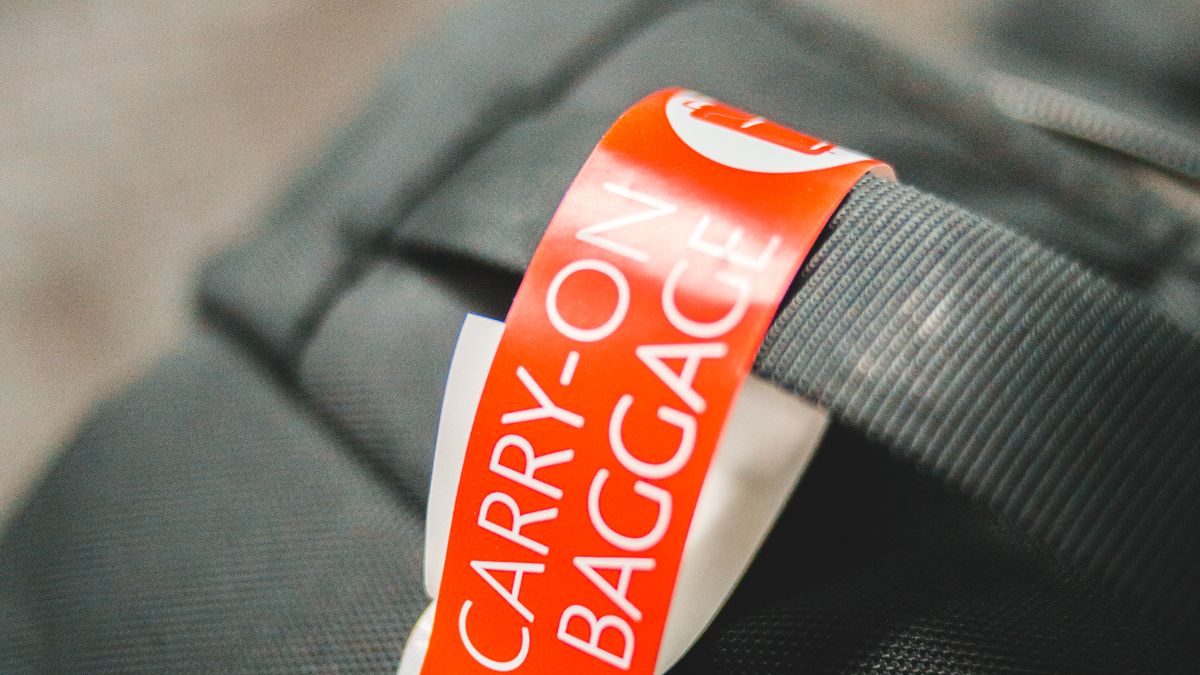
- Luggage: Any standard tracker works well tucked into an interior pocket, though some travelers prefer trackers built directly into luggage locks for a cleaner setup.
- Bags and backpacks: A tag clipped to an interior strap or zipper pull works well; look for a loud speaker if you tend to misplace bags in noisy environments.
Privacy and Anti-Stalking Protections
The same crowd-finding technology that makes these trackers useful also raised early concerns about someone secretly slipping a tag into another person’s bag to track them without consent. In response, both Apple and Google have built in unknown-tracker alerts, which notify your phone if an unfamiliar tag is detected traveling with you for an extended period, along with an audible alert that eventually plays from the tag itself if it’s separated from its owner for too long. These protections work across most major trackers today, though the exact detection window and alert behavior can vary slightly between Apple’s and Google’s systems.
Common Mistakes When Buying a Bluetooth Tracker
- Buying based on brand alone without checking network compatibility. An AirTag will not show up meaningfully in Google’s Find Hub app, and vice versa — always match the tracker to the phone(s) that will actually be searching for it.
- Assuming every tracker offers Precision Finding. Only trackers with Ultra Wideband, like the AirTag and SmartTag2, offer arrow-guided precision finding on supported phones — most budget trackers rely on Bluetooth-only “getting warmer” style proximity instead.
- Forgetting to check battery replacement type. Most trackers use a replaceable CR2032 coin battery, but a few rechargeable card-style trackers require you to remember to charge them periodically — factor this into which one fits your habits.
- Overlooking IP rating for outdoor or luggage use. If you’re tracking a bike, backpack, or checked luggage, check for at least basic water and splash resistance.
- Not considering a GPS tracker instead for real-time needs. Bluetooth trackers depend on nearby phones to relay location and don’t provide continuous real-time tracking — if you need to actively watch a vehicle or high-value asset move in real time, a dedicated cellular GPS tracker is a different (and pricier) category entirely.
How to Choose the Right Tracker for You
- You and your household are all on iPhone: Apple AirTag is the simplest, most integrated choice.
- You’re on a Samsung Galaxy phone: Samsung Galaxy SmartTag2 gives you the same precision-finding experience within Samsung’s ecosystem.
- You’re on Android but not Samsung: Chipolo ONE Point taps into Google’s broad Find Hub network.
- Your household mixes iPhone and Android users: Tile Pro’s independent network works reliably across both.
- You want basic tracking on the smallest budget: Ugreen’s Find My-compatible tags cover the essentials at a lower price than an AirTag.
Frequently Asked Questions
What is the best Bluetooth tracker for iPhone users in 2026?
The Apple AirTag remains the best choice for iPhone users, thanks to its integration with Apple’s massive Find My network and Precision Finding support on Ultra Wideband-equipped iPhones.
Can Android users use an AirTag?
Not effectively. AirTags are designed to work with Apple’s Find My network and iPhone, so Android users should look at alternatives like the Samsung Galaxy SmartTag2, Chipolo (via Google’s Find Hub), or Tile instead.
Which Bluetooth tracker works best for a mixed iPhone and Android household?
Tile Pro is generally the best choice for mixed households, since it runs its own independent tracking network and app rather than relying on either Apple’s or Google’s separate ecosystems.
Do Bluetooth trackers work for tracking checked luggage internationally?
Yes, as long as the tracker’s network (Apple Find My, Google Find Hub, or Tile) has meaningful device coverage in the destination country. Coverage is generally strong in most major cities and airports worldwide, though very remote areas may have weaker network density.
How long does a Bluetooth tracker’s battery last?
Most disc-style trackers using a replaceable CR2032 coin battery last around 6 to 12 months, depending on usage. Rechargeable card-style trackers typically need charging every few weeks to a couple of months.
Final Thoughts
The right Bluetooth tracker in 2026 comes down to matching the device to your phone’s ecosystem before anything else — the fanciest tracker in the world is only as useful as the network of nearby phones that can actually locate it. For most iPhone users, the AirTag remains the easy default; Samsung owners should look at the SmartTag2; and anyone juggling a mixed-device household will get the most consistent results from Tile’s independent network.
If you’re gearing up for travel season, it’s also worth checking your phone’s battery health and packing a reliable pair of earbuds alongside your new tracker — a well-prepared travel tech kit makes the whole trip smoother, not just the parts you’re actively tracking.