
Quick Answer: Workflow automation for blogging & SEO means connecting your content calendar, publishing platform, and promotion channels so a single action, like marking a draft “ready,” triggers the rest of the process automatically: formatting, internal linking checks, social scheduling, and performance tracking. Tools like Zapier, SurferSEO, and Buffer handle the repetitive middle steps, while your writing time stays focused on research and drafting. Bloggers who systemize this way typically cut the time between “idea” and “published post” by 30 to 50%, without lowering content quality.
Why Workflow Automation Matters for Blogging and SEO
Workflow automation blogging & seo strategies exist because publishing consistently is one of the strongest predictors of long-term organic traffic, and consistency is exactly what manual processes struggle to sustain. A blogger juggling research, writing, editing, formatting, image sourcing, internal linking, and promotion by hand will eventually skip steps or miss publishing dates once life gets busy.
Automating the repeatable, non-creative parts of that pipeline protects the parts that actually require a human: the writing itself, the editorial judgment, and the strategic keyword decisions. Everything else, formatting a draft for WordPress, checking for broken links, scheduling social promotion, can run through a defined workflow instead of a memory-dependent checklist.
This matters even more for SEO specifically, since search engines reward consistent publishing and a well-connected internal link structure, both of which are far easier to maintain with automated systems than with manual effort applied inconsistently.
Workflow Automation Tools for Bloggers
A focused toolkit covers most of what a blog’s content pipeline needs:
- Notion or Airtable manage your editorial calendar and content pipeline, moving posts automatically through stages like “researching,” “drafting,” “editing,” and “scheduled.”
- Zapier or Make connect your calendar tool to WordPress, so a post marked “ready to publish” can automatically create a scheduled draft.
- SurferSEO or Frase automate on-page SEO checks, flagging missing keywords, thin sections, or weak headers before a post goes live.
- Buffer or Hootsuite automatically schedule social promotion the moment a new post publishes, instead of requiring a manual reminder.
- Google Search Console plus a reporting tool automatically track how each post performs, so you can spot underperforming content without manually checking rankings every week.
None of these tools require a large budget to start. Most offer free or low-cost tiers that cover a solo blogger’s needs, with pricing scaling up mainly as traffic and content volume grow.
Building Your Content Pipeline
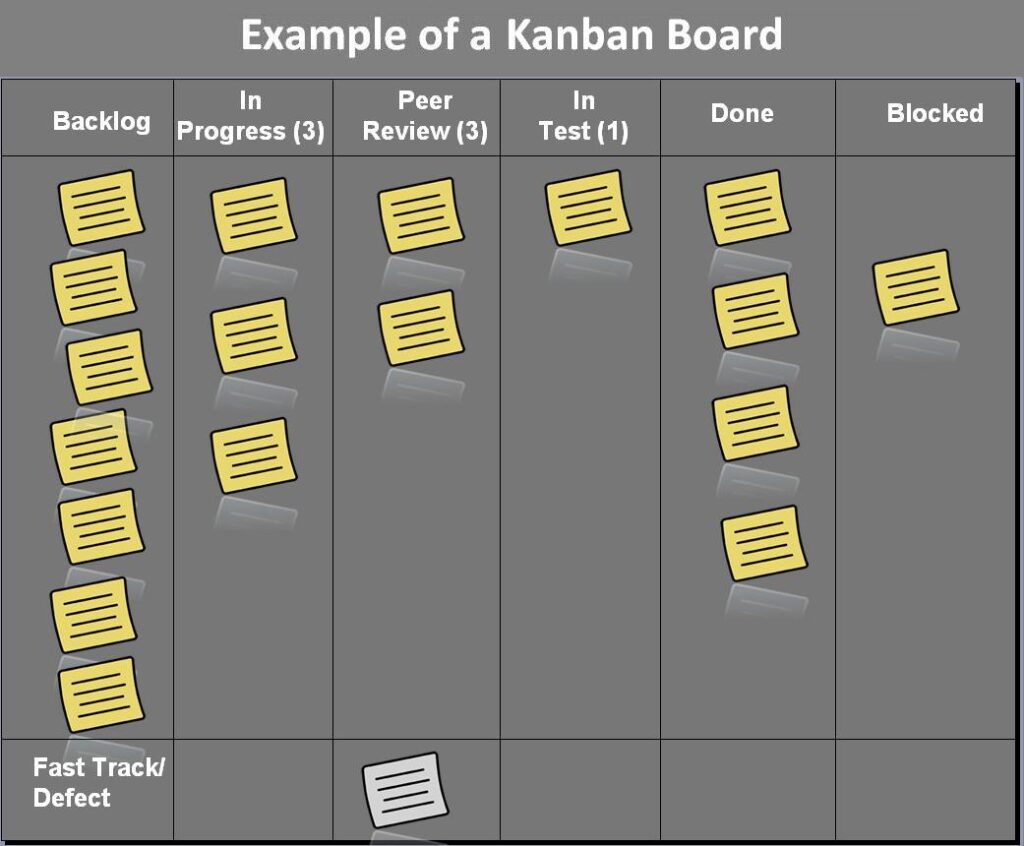
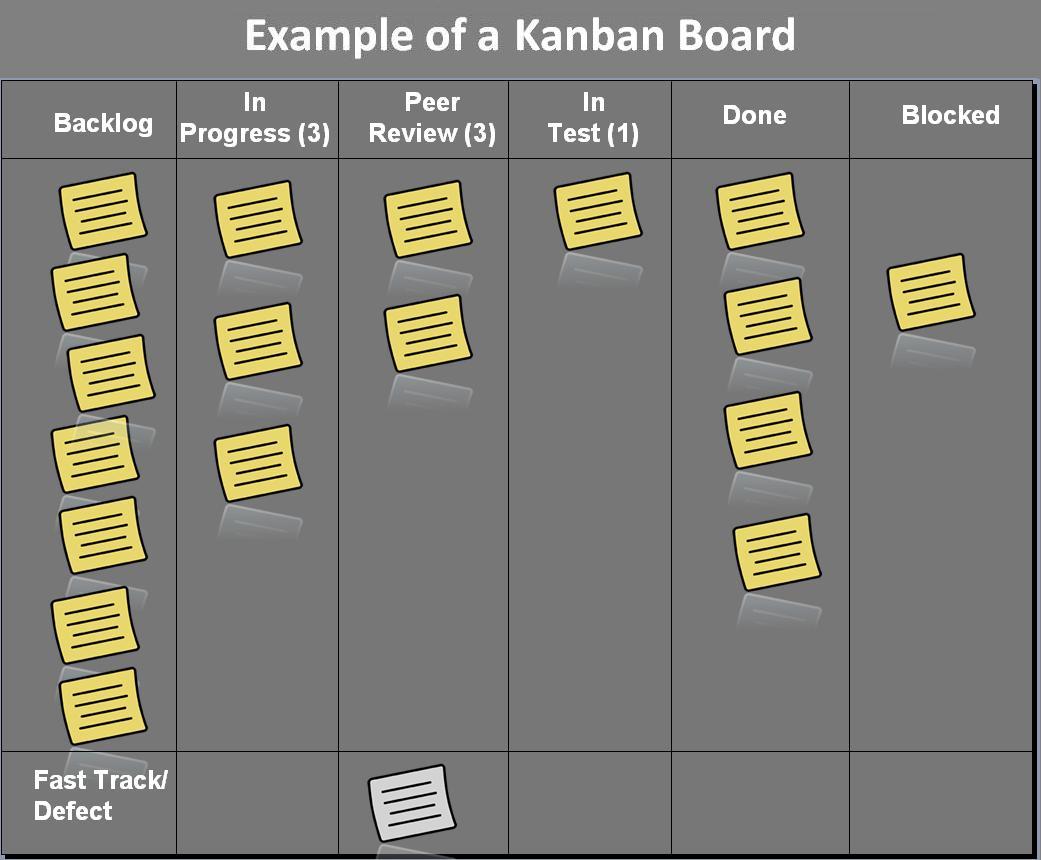
The core of workflow automation for blogging is a clearly defined pipeline with distinct stages, each one triggering the next automatically once work is marked complete. A typical setup looks like this:
- Idea capture: New keyword ideas get added to a running list automatically from a keyword research tool’s export.
- Brief generation: Once a topic is selected, an automated template pulls in the target keyword, competitor headings, and word count target.
- Drafting: The writer works from the auto-generated brief, with no manual setup required, sometimes assisted by one of the best AI writing tools for first-draft generation.
- SEO check: An on-page SEO tool automatically scores the draft against the target keyword before it moves to editing.
- Publishing: Once approved, the post automatically formats and schedules in WordPress.
- Promotion: Social posts and an email newsletter mention automatically queue the moment the post goes live.
Each handoff between stages happens without someone needing to remember to move things along manually, which is what keeps a blog’s publishing schedule reliable even during busy weeks.

Automating Internal Linking for SEO
Internal linking is one of the most SEO-valuable tasks that also happens to be one of the easiest to neglect manually, since it requires remembering which older posts relate to a new one. Several workflow automation approaches help here:
- Plugins like Link Whisper scan your existing content and suggest relevant internal links automatically as you draft a new post.
- A simple spreadsheet-based automation can flag any published post that hasn’t received a new internal link in the last 90 days, surfacing older content that needs fresh linking attention.
- Site audit tools can automatically detect orphaned pages, posts with no internal links pointing to them at all, which often signals missed SEO opportunity.
Treating internal linking as an automated, recurring workflow step rather than an afterthought is one of the more underrated workflow automation blogging & seo strategies, since it steadily strengthens your site’s overall structure without extra manual auditing time.
Automating SEO Research and Keyword Tracking
Keyword research and rank tracking both benefit heavily from automation, since checking rankings manually across dozens of target keywords is tedious and easy to fall behind on. Tools like Ahrefs, SEMrush, or Google Search Console can automatically email a weekly ranking summary, flagging both wins and posts that have slipped, without you needing to log in and check manually.
A useful automation here connects your rank tracker to a spreadsheet or dashboard, so keyword position changes update automatically and trigger a notification when a post either breaks into the top 10 or drops out of it. That kind of real-time visibility lets you react to SEO opportunities and problems quickly, instead of discovering a ranking drop weeks after it happened.
A Simple Comparison of Workflow Stages
| Pipeline Stage | What to Automate | Typical Tools |
|---|---|---|
| Planning | Idea capture, content briefs | Notion, Airtable |
| Writing | SEO scoring, readability checks | SurferSEO, Frase |
| Publishing | Formatting, scheduling | Zapier, WordPress |
| Promotion | Social posts, newsletter mentions | Buffer, Mailchimp |
| Tracking | Rank monitoring, traffic reports | Search Console, Ahrefs |
Common Workflow Automation Mistakes
A few habits reduce the value of workflow automation even when the right tools are in place:
- Automating before defining the process, which just locks a messy, undefined workflow into place faster.
- Skipping human review at the SEO-check stage, trusting a tool’s keyword score without confirming the content genuinely reads well.
- Over-scheduling social promotion so far in advance that outdated or irrelevant posts keep getting shared automatically.
- Ignoring automation failures, like a broken Zapier connection, for weeks because no one is checking that the pipeline is still running correctly.
- Treating every post identically, when a quick news update and a 3,000-word pillar guide genuinely need different workflows.
Workflow Automation for Teams vs. Solo Bloggers
A solo blogger’s workflow automation needs are usually simpler: a content calendar, an SEO checklist, and a publishing-to-promotion connection cover most of what’s needed. Teams managing multiple writers and editors typically need an added layer of approval steps, assigning drafts automatically to an editor once a writer marks a piece complete, and routing final sign-off to whoever owns publishing decisions.
For content teams juggling several writers, a shared dashboard that automatically shows each post’s current stage prevents the common problem of two people editing the same draft, or a finished post sitting unpublished because no one realized it was ready. If your team also handles broader marketing tasks alongside blogging, reviewing social media marketing productivity strategies can help since several of the same batching and automation principles apply directly to content promotion.
Using Templates to Speed Up Workflow Automation
Templates are one of the most overlooked pieces of workflow automation blogging & seo strategy. A standardized content brief template, one that automatically pulls in a target keyword, competitor headline examples, and a recommended word count, removes the blank-page problem before writing even starts. Instead of researching structure from scratch for every post, a writer opens a brief that’s already 70% assembled.
The same principle applies to formatting. A WordPress or CMS template with pre-built sections for a “Quick Answer” summary, FAQ block, and standard image placement means a writer fills in content rather than rebuilding the same structure by hand every single time. Over dozens of posts, this consistency also helps SEO, since search engines and readers alike tend to respond well to a predictable, scannable content structure across a site.
What Workflow Automation Costs to Set Up
Most of the tools involved in workflow automation for blogging have generous free tiers or low starting costs. Notion and Airtable are free for individual use at reasonable volumes, Zapier’s free plan covers basic automations, and Buffer’s starting plan is inexpensive for a single social profile. SEO-focused tools like SurferSEO or Frase are the main paid components, typically running $50 to $150 a month depending on how many articles you’re optimizing.
For a solo blogger, a complete workflow automation setup often costs under $75 a month in tool subscriptions, with the real investment being the time spent setting up the pipeline correctly the first time. That upfront effort is what makes the process self-sustaining afterward, since a well-built pipeline keeps running with minimal maintenance.
A Realistic Before-and-After Example
Consider a blogger publishing two posts a week manually: researching keywords in one tool, drafting in Google Docs, manually formatting for WordPress, remembering to add internal links, and posting to social media whenever they think of it. This scattered process often means posts go out inconsistently, some weeks with three posts and others with none.
After building a workflow automation pipeline, keyword ideas flow automatically into a content calendar, drafts move through a defined SEO-check stage before publishing, and social promotion fires automatically the moment a post goes live. The actual writing time doesn’t change much, but the consistency of the publishing schedule improves dramatically, which is often the single biggest factor separating blogs that grow steadily from ones that stall out after a strong start.
Frequently Asked Questions
What is workflow automation for blogging?
It’s the practice of connecting the repetitive steps in your content process, like formatting, internal linking, and social promotion, so they happen automatically once a post reaches a certain stage, rather than requiring manual action every time.
Does workflow automation hurt content quality?
No, as long as you only automate the repetitive mechanical steps and keep a human reviewing the actual writing, SEO scoring, and editorial decisions. Automation should remove busywork, not replace judgment.
What’s the easiest workflow automation to start with?
Automatically triggering social media promotion the moment a new post publishes is usually the simplest and fastest win, since it requires no ongoing manual work once it’s set up.
Do I need coding skills to set up workflow automation?
No. Tools like Zapier and Make use visual, no-code builders, so connecting a content calendar to WordPress or a scheduling tool doesn’t require any programming knowledge.
How does workflow automation help SEO specifically?
It supports the two things SEO rewards most reliably: publishing consistency and a well-maintained internal link structure, both of which are easier to sustain through automated systems than manual memory-based processes.
Is workflow automation worth it for a small blog?
Yes. Even a single blogger benefits from automating repetitive steps like formatting and social scheduling, since it frees up time for the research and writing that actually drives traffic growth.
Bottom Line
Workflow automation blogging & seo strategies work by removing the manual busywork between “idea” and “published post,” while keeping human judgment in the parts of the process that genuinely need it. Start by automating one weak link in your current process, whether that’s social promotion, internal linking, or rank tracking, then build outward from there as your content volume grows.