
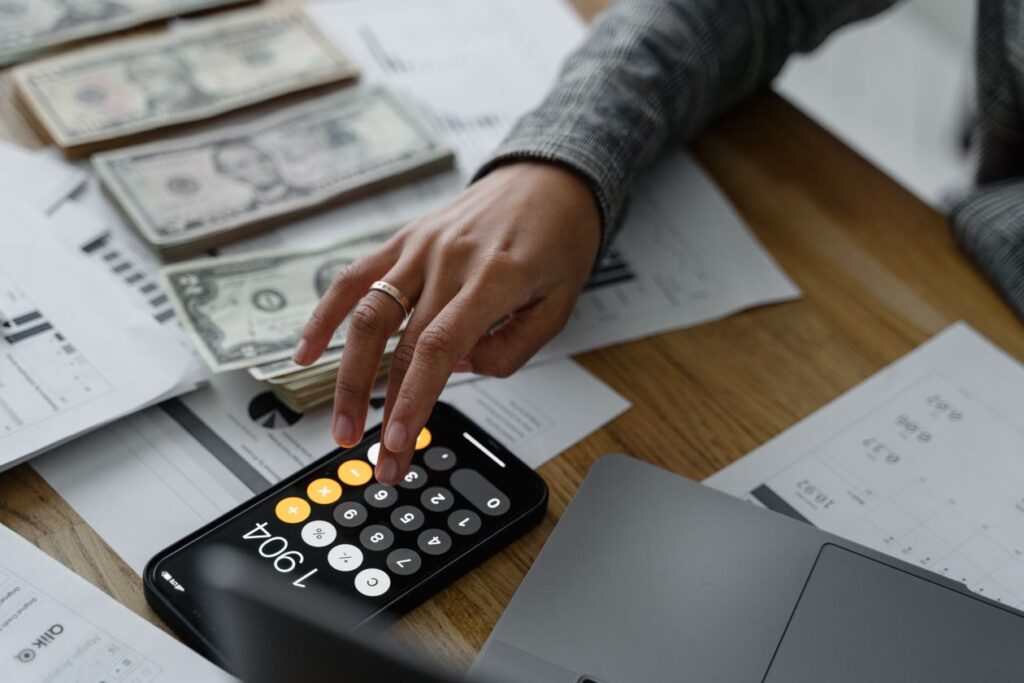
At the end of most months, a lot of people ask the same question: “Where did all my money actually go?” Between subscriptions you forgot about, small daily purchases, and irregular bills, it’s easy to lose track — even if you have a decent income. The good news is you don’t need a finance degree or a complicated spreadsheet to fix this anymore. A good budgeting app can automatically track your spending, sort it into categories, and show you exactly where your money is leaking, all from your phone.
In this guide, we’ll walk through how budgeting apps actually work, compare the best free and paid options available in 2026, and help you figure out which one fits your financial habits — whether you’re trying to build your first emergency fund, pay off debt, or just stop getting surprised by your bank balance.
What Is a Budgeting App and How Does It Work?
A budgeting app is a tool that tracks your income and spending, usually by connecting securely to your bank accounts and credit cards, and organizes it into an easy-to-read dashboard. Instead of manually writing down every purchase, the app pulls in your transactions automatically and sorts them into categories like groceries, rent, entertainment, and transportation.
Most modern budgeting apps use one of two core approaches:
- Zero-based budgeting: You assign every rupee or dollar of your income a “job” before the month starts — rent, groceries, savings, fun money — so your income minus your allocations equals zero. This method is popular for people who want tight control over their spending.
- Tracking-based budgeting: Instead of planning every category in advance, the app simply tracks what you spend and shows you patterns over time, letting you set loose limits per category based on what you actually see happening.
Once connected, most apps will also flag recurring subscriptions, alert you when you’re close to a spending limit, and generate simple charts showing your spending trends month over month — all without you having to type in a single transaction manually.
Why Use a Budgeting App Instead of a Spreadsheet?
Spreadsheets work, but they require discipline most people simply don’t keep up long-term. You have to remember to open the file, manually enter every transaction, and update formulas yourself. Most people who start a budgeting spreadsheet in January have abandoned it by March.
A budgeting app removes almost all of that friction. Because it connects directly to your accounts, your spending data updates itself in real time. You get push notifications when you’re overspending in a category, visual charts that make patterns obvious at a glance, and reminders for upcoming bills — all things a static spreadsheet simply can’t do on its own.
Key Features to Look For in a Budgeting App
1. Automatic Bank Syncing
The best apps connect directly and securely to your bank and credit card accounts, automatically pulling in new transactions so you don’t have to enter anything manually. This is the single biggest factor in whether you’ll actually stick with the app long-term.
2. Custom Categories and Spending Limits
Everyone’s spending habits look different, so look for an app that lets you create or rename categories to match your actual life — whether that’s “coffee,” “side hustle expenses,” or “kids’ activities” — rather than forcing you into rigid, generic categories.
3. Bill and Subscription Tracking
A genuinely useful feature in most modern apps is automatic detection of recurring subscriptions and bills. It’s shockingly common to discover a forgotten $12 monthly subscription that’s been running quietly for over a year once you actually see it laid out clearly.
4. Goal Tracking
Whether you’re saving for a vacation, an emergency fund, or paying down a credit card, goal-tracking features let you set a target amount and timeline, then show your progress visually, which makes staying motivated a lot easier than just watching a bank balance.
5. Security and Data Privacy
Since these apps connect to your actual bank accounts, security matters more here than almost any other app category. Look for read-only bank connections (meaning the app can see your transactions but can never move money), bank-level encryption, and a clear, published privacy policy about how your data is used and whether it’s ever sold to advertisers.
6. Net Worth and Investment Tracking
More advanced apps go beyond day-to-day spending and also pull in your investment accounts, loans, and assets to show your overall net worth over time — useful if you want a full picture of your finances rather than just your checking account.
Free vs Paid Budgeting Apps: What’s the Difference?
Free budgeting apps typically cover the basics well: bank syncing, category tracking, and simple charts. Where they usually hold back is advanced goal planning, unlimited custom categories, ad-free experiences, and detailed net-worth or investment tracking.
Paid apps, generally priced between $5 and $15 per month, add features like zero-based budget planning tools, debt payoff calculators, bill negotiation services, priority customer support, and more detailed reporting. For most people just starting to get their spending under control, a free app is more than enough. If you’re actively working toward a specific financial goal — like getting out of debt or building a detailed monthly plan — a paid app’s extra structure can genuinely speed up your progress.
Best Free Budgeting Apps in 2026
1. Mint Alternatives / Credit Karma Money
Since Mint’s shutdown, several apps have stepped in to fill the gap, and free tools bundled into services like Credit Karma have become a popular landing spot. They offer automatic transaction categorization, credit score monitoring, and basic spending insights, all at no cost, making them a solid starting point for anyone who wants visibility into their spending without paying anything.
2. Goodbudget
Goodbudget uses a digital version of the classic “envelope budgeting” method, where you allocate money into virtual envelopes for each spending category. The free plan limits you to a set number of envelopes and one synced device, but it’s a genuinely effective, simple system for anyone new to budgeting who wants to think in concrete, visual terms rather than abstract percentages.
3. PocketGuard
PocketGuard’s standout feature is its “In My Pocket” number — a simple calculation that shows exactly how much money you have left to spend after bills, goals, and necessities are accounted for. Its free tier covers the core syncing and tracking features well, making it especially useful for people who just want a single, clear number to check before making a purchase.
4. Empower Personal Dashboard
Empower’s free dashboard leans more toward net worth and investment tracking than day-to-day budgeting, but it’s genuinely excellent for anyone who wants a full financial picture — bank accounts, investments, and debts all in one dashboard, completely free, with paid tiers reserved for its wealth management advisory services rather than gatekeeping core features.
Best Paid Budgeting Apps in 2026
1. YNAB (You Need A Budget)
YNAB is widely considered the gold standard for zero-based budgeting apps. Its methodology forces you to give every dollar a specific job before you spend it, which sounds strict but tends to produce dramatic results for people who stick with it — many users report saving hundreds of dollars in their first few months simply from the awareness it creates. It comes with a genuinely helpful onboarding process, live workshops, and one of the most engaged budgeting communities online. The subscription isn’t cheap, but for people serious about changing their spending habits, it’s often worth it.
2. Monarch Money
Monarch has become one of the most polished all-in-one finance apps, combining budgeting, net worth tracking, investment monitoring, and goal planning in a single, clean interface. It supports collaborative budgeting for couples, so both partners can see and manage the same accounts without sharing logins. Its custom rules for categorizing transactions are more flexible than most competitors, making it a favorite for people who want a highly personalized setup.
3. Copilot Money
Copilot is known for its design-forward approach and smart categorization, which uses on-device intelligence to learn your spending patterns and automatically sort transactions with impressive accuracy over time. It also includes an investment tracking dashboard and a “recurring” view that clearly lays out every subscription and bill you’re currently paying for.
4. Rocket Money
Rocket Money (formerly Truebill) combines standard budgeting features with a genuinely useful bill negotiation service — for a cut of the savings, their team will actually call your service providers and try to lower your bills for you. It also offers a subscription cancellation service, letting you cancel unwanted recurring charges directly through the app instead of hunting down cancellation pages yourself.

How Budgeting Apps Keep Your Bank Data Safe
Handing over access to your bank account can understandably feel uncomfortable, so it’s worth understanding how this actually works under the hood. Reputable budgeting apps don’t store your online banking username and password directly. Instead, they connect through secure, regulated financial data aggregators (like Plaid or similar services) that use bank-level encryption and read-only access tokens.
This means the app can see your transaction history and balances, but it has no ability to move money, make payments, or change anything in your actual bank account. If you ever want to disconnect an app, you can revoke its access at any time, either from within the app itself or directly through your bank’s security settings.
Before connecting any app to your accounts, it’s worth checking whether it’s built by an established company with a public privacy policy, and whether it explicitly states it doesn’t sell your personal financial data to third parties for advertising purposes.
Common Mistakes People Make When Starting a Budgeting App
- Setting unrealistic category limits. If your app suggests spending only $50 a month on eating out but you’re currently spending $300, drop the number gradually instead of all at once, or you’ll likely abandon the budget within a few weeks out of frustration.
- Ignoring notifications. Most of the value of a budgeting app comes from actually reading the alerts it sends you. Muting every notification defeats the purpose of using one in the first place.
- Not reviewing the dashboard regularly. Even five minutes a week scanning your spending categories is enough to catch problems early, long before they turn into a maxed-out credit card.
- Forgetting to categorize irregular transactions. One-off purchases like car repairs or medical bills can throw off your monthly view if left in a generic “miscellaneous” bucket — take the extra ten seconds to sort them properly.
- Quitting after one bad month. Budgeting is a skill, not a one-time setup. Give yourself two or three months of consistent use before deciding whether an app or method actually works for you.
Budgeting Apps for Couples and Families
Managing money as a couple or family adds an extra layer of complexity — shared expenses, individual spending money, and joint savings goals all need to coexist without either person feeling like they’ve lost control over their own finances.
Apps like Monarch Money and Honeydue are built specifically with shared households in mind, allowing both partners to view combined accounts while still keeping certain individual accounts private if desired. Look for apps that support multiple logins on the same account, shared goal tracking (like a joint vacation fund), and the ability to split which categories are shared versus personal — this tends to reduce arguments about money significantly compared to one person managing everything alone.
Budgeting Apps for Debt Payoff
If your main goal right now is paying off credit card debt, student loans, or a personal loan, look specifically for apps with built-in debt payoff calculators. These typically let you choose between the “avalanche” method (paying off the highest-interest debt first, which saves the most money overall) or the “snowball” method (paying off the smallest balance first, which tends to keep people more motivated through early wins).
YNAB and Rocket Money both offer strong debt-focused tools, showing you a clear payoff timeline based on how much extra you commit each month, which turns an abstract, discouraging total balance into a concrete countdown you can actually see progress on.
How to Choose the Right Budgeting App for You
- Just want free visibility into your spending: Credit Karma Money or PocketGuard’s free tier are both solid starting points.
- New to budgeting and want a simple system: Goodbudget’s envelope method is intuitive and easy to stick with.
- Serious about changing your habits with structure: YNAB’s zero-based method has one of the strongest track records for real behavior change.
- Managing money with a partner: Monarch Money’s collaborative features are purpose-built for couples and families.
- Focused on paying off debt fast: Rocket Money or YNAB both offer dedicated payoff planning tools.
- Want the full financial picture, not just spending: Empower’s free dashboard covers net worth, investments, and spending in one place.
Frequently Asked Questions
Is it safe to connect a budgeting app to my bank account?
Yes, as long as you use a reputable app that connects through a regulated, encrypted data aggregator and offers read-only access. This means the app can view your transactions but can never initiate a payment or move money out of your account.
Do budgeting apps work if I get paid in cash?
Most apps allow you to manually add cash transactions alongside your automatically synced bank data, so you can still track cash income and spending even though it won’t sync automatically the way card transactions do.
Can I use a budgeting app without connecting my bank account at all?
Yes, most apps, including Goodbudget, support fully manual entry if you’d rather not link your accounts. It requires more discipline since nothing updates automatically, but it’s a valid option for anyone who prefers not to share bank access with a third-party app.
Will using a budgeting app hurt my credit score?
No. Connecting a budgeting app only pulls read-only transaction data and does not involve a credit check or “hard inquiry,” so it has no effect on your credit score at all.
What’s the real difference between a budgeting app and my bank’s own app?
Bank apps only show you activity within that one bank. A dedicated budgeting app pulls together every account you have — checking, savings, credit cards, and loans from multiple banks — into a single unified view, which is far more useful if your finances are spread across more than one institution.
Final Thoughts
You don’t need to be a spreadsheet expert or a finance nerd to get control of your money in 2026 — you just need an app that fits how you actually think about spending. Start with a free option to build the habit of checking in regularly, and upgrade to a paid app later if you find yourself wanting more structure, deeper debt payoff planning, or shared tools for managing money with a partner.
The best budgeting app isn’t necessarily the one with the most features — it’s the one you’ll actually open and check every week. Pick one, give it a real two or three months, and you’ll likely be surprised how much clarity it brings to a part of life that so often feels overwhelming.