As small teams grow past a handful of people, tracking tasks through email and chat messages alone quickly becomes unmanageable. Dedicated project management apps help teams stay organized, but choosing between the many available options can be overwhelming. This guide covers the key features to prioritize and how to match a tool to your team’s specific working style.
Task-List Style Tools
Simple, list-based project management apps focus on straightforward task creation, assignment, and due dates, making them easy for teams to adopt quickly without a steep learning curve. These tools work particularly well for smaller teams with relatively straightforward workflows that don’t require complex dependency tracking or advanced reporting.
Kanban Board Tools
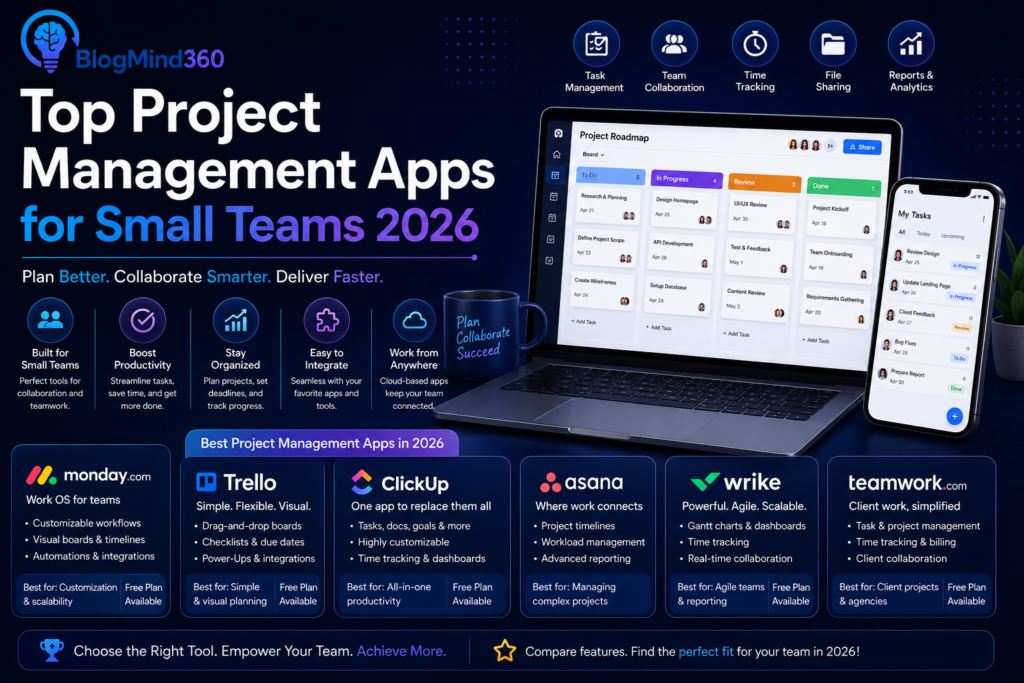
Kanban-style tools organize work visually into columns representing different stages, like ‘to do,’ ‘in progress,’ and ‘done,’ giving teams an intuitive at-a-glance view of where every task stands. This visual approach appeals particularly to teams handling a continuous flow of tasks, like customer support or content production, rather than teams working through long, sequential project phases.
Comprehensive Project Management Platforms
More comprehensive platforms combine task tracking with features like time tracking, budget management, detailed reporting, and resource allocation across multiple simultaneous projects. These tools suit growing teams juggling several projects at once and needing deeper visibility into overall workload and progress, though they typically come with a steeper learning curve and higher cost than simpler tools.
Key Features to Look For
Beyond basic task tracking, consider how well a tool integrates with other software your team already uses, like email, calendars, and file storage, since disconnected tools tend to see lower adoption. Mobile app quality also matters for teams that need to check or update tasks while away from a desk, and notification settings that can be customized to avoid overwhelming team members with excessive alerts are worth checking before committing to a tool.
Increasingly, project management tools also include AI-powered features like automatically summarizing project status or suggesting task prioritization, which can save meaningful time for teams managing a high volume of ongoing work.
Avoiding Common Adoption Pitfalls
The biggest risk with any project management tool isn’t choosing the wrong one technically, but choosing one the team doesn’t actually adopt consistently. Involving the team in the selection process, starting with a simple setup rather than an overly complex one, and establishing clear norms around how and when the tool should be used all significantly improve the odds of successful, lasting adoption.
Frequently Asked Questions
How much should a small team expect to pay for project management software?
Pricing varies significantly, with many tools offering free tiers suitable for small teams, and paid plans scaling based on team size.
Is a simple tool or comprehensive platform better for a small team?
Simpler tools are often better for straightforward workflows, while comprehensive platforms suit teams juggling multiple complex projects.
Can project management tools integrate with email and calendar apps?
Most modern tools offer integrations with popular email and calendar platforms.
How long does it typically take a team to adopt a new project management tool?
Teams generally see meaningful use within a few weeks if introduced with clear expectations.
Do I need separate tools for task management and time tracking?
Many platforms now combine both, though dedicated specialized tools remain available.
Are AI features in project management tools actually useful?
Many teams find AI-powered status summaries and task prioritization genuinely helpful.
Conclusion
The right project management app for a small team depends more on matching the tool’s complexity to your team’s actual workflow than finding the single most feature-rich option available. Starting simple, prioritizing genuine team adoption, and scaling up to more comprehensive tools only as complexity actually demands it tends to serve small teams best.