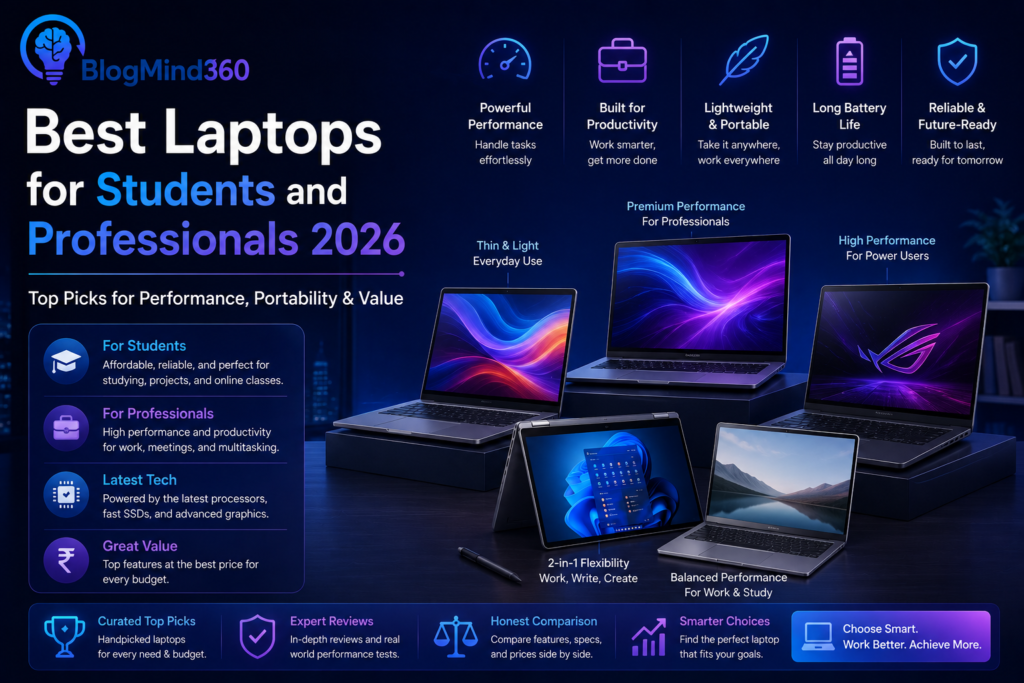
Picking a laptop as a student is different from picking one for gaming or professional video editing — you don’t need the most powerful machine on the market, you need one that starts fast, survives a full day of classes without hunting for a charger, and doesn’t choke when you have fifteen Chrome tabs, a PDF reader, and a code editor open at the same time. The good news is that ₹40,000 is genuinely enough budget in 2026 to get a laptop that checks every one of those boxes, as long as you know what to actually look for on the spec sheet.
This guide breaks down the best laptops for students under ₹40,000 available right now in India, what makes each one worth considering, and the exact specs that matter most so you don’t end up with a machine that feels outdated by your second semester.

What Actually Matters in a Student Laptop
Before comparing specific models, it’s worth understanding which specs genuinely affect your day-to-day experience and which ones are mostly just marketing filler at this price point.
- RAM: 8GB is the realistic minimum in 2026. Between a browser with a dozen tabs, a PDF viewer, and a code editor or Office app running simultaneously, 8GB gets used up fast. If your budget allows even a small stretch, 16GB will noticeably extend how long the laptop stays comfortable to use.
- Storage: Always insist on an SSD, never a spinning hard drive (HDD). SSDs are dramatically faster for boot times, app launches, and file transfers, and prices have dropped enough that there’s no good reason to settle for an HDD-only laptop anymore. 512GB is a comfortable amount for most students; 256GB works if you rely heavily on cloud storage.
- Processor: Look for at least an AMD Ryzen 3/5 or Intel Core i3 (11th-gen or newer). Avoid older Celeron or Pentium chips if you can help it — they handle basic browsing fine but struggle noticeably once you start multitasking.
- Battery life: Aim for a laptop that realistically delivers 6+ hours of mixed use, not just the manufacturer’s best-case marketing number, since actual battery life is often 20–30% lower than advertised.
- Weight and build: If you’re carrying your laptop to classes daily, anything under 1.6kg makes a noticeable difference in how much you dread packing your bag each morning.
- Upgradeable RAM: Where possible, check whether RAM is soldered to the motherboard or user-upgradeable via a slot. A laptop with expandable RAM gives you a cheap way to extend its useful life later instead of replacing the whole machine.
Best Laptops for Students Under ₹40,000 in 2026
1. ASUS Vivobook Go 14 (Ryzen 5 7520U) — Best Overall Pick
The Vivobook Go 14 is the laptop most reviewers consistently point to as the best all-around option in this price bracket, and it earns that reputation. Its AMD Ryzen 5 7520U handles everyday multitasking, browser-heavy workloads, and light coding comfortably, while staying noticeably cool and quiet compared to older-generation chips. It ships with a fast SSD, a lightweight chassis that’s genuinely easy to carry around campus all day, and — as a nice bonus — often bundles Microsoft Office along with Windows 11, saving you a separate subscription cost during your first year. For a student who wants one dependable laptop that doesn’t have an obvious weak point, this is the safest recommendation on the list.
2. Acer Aspire 3 — Best Budget-Friendly Pick
The Acer Aspire 3 lineup remains one of the most dependable budget options year after year, and 2026 models continue that trend with configurations available well below the ₹40,000 ceiling. It won’t win any awards for a flashy design, but it delivers exactly what most students need: a responsive SSD, a decent keyboard for long typing sessions, and a display that’s perfectly usable for note-taking and video lectures. If you want to keep some budget in reserve for accessories like a mouse, a laptop bag, or an external hard drive, the Aspire 3 leaves the most room to do that.
3. Lenovo V15 (2026) — Best Build Quality
Lenovo’s V-series has traditionally leaned toward business users, and that focus shows up as a genuine advantage for students: sturdier hinges, a more rigid chassis, and a keyboard that holds up well to years of heavy typing for assignments and notes. The 2026 V15 pairs practical performance with this added durability, making it a strong pick if you tend to be rough on your electronics or want a laptop that will comfortably survive all four years of a degree without the hinge loosening or the keyboard developing a wobble.
4. HP OmniBook 3 (2026) — Best Everyday Workhorse
HP’s OmniBook 3 delivers exactly what its name suggests — dependable, no-drama daily performance without needing to spend beyond this budget. It handles video calls, browser-based coursework, and typical assignment workloads smoothly, and HP’s service network in India is genuinely extensive, which matters if you ever need a repair while away at college in a different city from home.
5. Ultimus APEX5 (Intel Core i5-1235U, 12th Gen) — Most Powerful CPU in This Range
If raw processing power is your top priority — say, you’re studying engineering or computer science and regularly run heavier development tools, virtual machines, or data analysis software — the Ultimus APEX5 stands out for packing a genuine 12th-generation Intel Core i5 processor at this price, which is unusually strong silicon for the segment. Paired with 8GB RAM and a fast 512GB SSD (expandable further), it comfortably handles multitasking, programming environments, and even light photo or video editing tasks that would make lesser chips struggle. The trade-off is a slightly heavier 1.53kg build and a lesser-known brand name, but the raw performance-per-rupee here is hard to match.
6. Infinix Y-Book / Similar Entry Chromebook Alternatives — Best for Pure Portability
If your coursework is mostly browser-based — Google Docs, online submissions, video lectures, and light research — a lightweight Windows laptop or Chromebook-style device from brands like Infinix can be a smart choice well under budget. These trade some raw processing power for exceptional portability and battery life, often weighing noticeably less than the traditional laptops above. They’re not the right pick if you need to run heavier desktop software like specialized engineering tools or offline video editing, but for a humanities, commerce, or general arts student who mostly needs a reliable browsing and typing machine, this category offers real savings without sacrificing daily usability.

Quick Comparison: Which Laptop Should You Pick?
| Laptop | Best For | Processor | RAM / Storage |
|---|---|---|---|
| ASUS Vivobook Go 14 | Overall pick | Ryzen 5 7520U | 8GB / 512GB SSD |
| Acer Aspire 3 | Tightest budget | Ryzen 3 / Celeron | 8GB / 256GB SSD |
| Lenovo V15 (2026) | Build quality & durability | Ryzen 5 / i3 | 8GB / 512GB SSD |
| HP OmniBook 3 | Everyday reliability | Ryzen 5 / i3 | 8GB / 512GB SSD |
| Ultimus APEX5 | Coding & multitasking | Intel i5-1235U (12th Gen) | 8GB / 512GB SSD |
| Infinix Y-Book (or similar) | Portability, browser-based work | Entry-level ARM/Intel | 4–8GB / 128–256GB |
Note: Exact configurations and prices change frequently due to festive sales and bank offers on Amazon and Flipkart. Always confirm the current RAM, storage, and processor generation on the listing before buying, since retailers sometimes list multiple variants under the same product name.
Ryzen vs Intel: Which Should a Student Pick?
This is one of the most common questions students ask, and honestly, at this price bracket, the difference matters less than most people assume. Both AMD Ryzen (3/5 series) and Intel Core (i3/i5, especially 11th-gen or newer) chips handle typical student workloads — browsing, Office apps, video calls, and light coding — comfortably.
Where you’ll notice a real difference is in specific generations rather than the brand itself. A newer Ryzen 5 or 12th-gen Intel i5 (like on the Ultimus APEX5) will meaningfully outperform an older Ryzen 3 or 10th-gen i3, regardless of brand. Rather than picking based on “Intel vs AMD” as a blanket rule, check the specific generation and model number, and prioritize newer silicon over brand loyalty.
Do You Need a Dedicated Graphics Card?
For the vast majority of students, no. Laptops in this segment come with integrated graphics (built into the processor), which comfortably handle video playback, presentations, web-based design tools, and even light photo editing. Integrated graphics are not designed for serious gaming or professional 3D rendering, but that’s genuinely not what most coursework requires.
If you’re specifically studying something graphics-intensive — architecture, animation, or game design — you’ll likely outgrow this entire ₹40,000 category regardless of which specific laptop you choose, and should look at dedicated GPU laptops in a higher price bracket instead. For everyone else, integrated graphics on a modern chip like the Ryzen 5 7520U or Intel Core i5-1235U is more than sufficient.
Common Mistakes Students Make When Buying a Budget Laptop
- Buying a laptop with an HDD instead of an SSD. Even a fast processor feels sluggish paired with a spinning hard drive. Never compromise on this in 2026 — SSDs are widely available even at this budget.
- Settling for 4GB RAM to save a few thousand rupees. This will feel noticeably slow within the first semester as coursework demands increase. 8GB should be treated as the non-negotiable minimum.
- Ignoring the actual screen size and resolution. A 15.6-inch Full HD display is far easier on the eyes for hours of reading and note-taking than a smaller or lower-resolution panel, even if the smaller option looks cheaper on paper.
- Not checking the warranty and service network. If you’re moving to a different city for college, confirm the brand has accessible service centers near your campus, not just your hometown.
- Overlooking port selection. Make sure the laptop has enough USB ports, an HDMI output for projectors during presentations, and ideally a memory card slot if you’re in a field involving a lot of file transfers.
- Chasing brand hype over actual specs. A lesser-known brand with a newer processor generation (like the Ultimus APEX5’s 12th-gen Intel chip) can genuinely outperform a bigger, more familiar brand name running older silicon at the same price.
How Long Should a Student Laptop Last?
With 8GB RAM (ideally upgradeable), an SSD, and a reasonably modern processor, a laptop bought today should comfortably handle a full 3–4 year degree program without feeling obsolete. The most common reason budget laptops start to feel slow isn’t the processor — it’s insufficient RAM combined with modern web browsers and apps becoming more resource-hungry each year. This is exactly why prioritizing 8GB (or upgradeable RAM) over a slightly faster processor with only 4GB tends to pay off over the full life of the laptop.
How to Choose the Right Laptop for Your Course
- General coursework, commerce, or arts: ASUS Vivobook Go 14 or Acer Aspire 3 cover everything you’ll need comfortably.
- Engineering, computer science, or coding-heavy courses: The Ultimus APEX5’s stronger 12th-gen processor will handle development tools and multitasking noticeably better.
- You’re rough on electronics or want maximum durability: Lenovo V15’s business-grade build quality is worth prioritizing.
- You want dependable, widely-available service support: HP OmniBook 3 benefits from HP’s extensive service network across India.
- Mostly browser-based work and want maximum portability: A lightweight Chromebook-style option like the Infinix Y-Book saves weight and money.
Frequently Asked Questions
Is 8GB RAM really enough for a student laptop in 2026?
Yes, for most coursework — browsing, Office apps, video calls, and light coding — 8GB is workable, though it will often run at 70–80% utilization with multiple apps open. If your budget allows even a small increase, 16GB provides noticeably more comfortable multitasking headroom for the full duration of your course.
Can I play games on a laptop under ₹40,000?
You can comfortably play light, browser-based, or older, less demanding games. These laptops use integrated graphics, which aren’t designed for modern, graphics-intensive gaming — if gaming is a major priority, you’ll need to look at a higher budget with a dedicated graphics card.
Should I buy a laptop with a touchscreen?
It’s a nice-to-have rather than a necessity for most students. Touchscreens add cost and slightly reduce battery life, and most coursework doesn’t specifically require touch input, so it’s generally better to prioritize RAM and processor generation over a touchscreen at this budget.
Is it better to buy a laptop with Windows pre-installed or without an OS?
For most students, a laptop with genuine Windows 11 pre-installed is worth the slightly higher price, since it avoids licensing hassles and often comes bundled with useful extras like a Microsoft Office trial, saving both time and money compared to buying and installing an OS separately.
How much should I expect to spend on accessories on top of the laptop?
Budget roughly ₹1,500–₹3,000 extra for a decent laptop bag, a wireless mouse, and a basic cooling pad if you tend to run demanding tasks for long stretches. These aren’t strictly necessary but noticeably improve daily comfort and can extend your laptop’s lifespan.
Final Thoughts
₹40,000 genuinely goes a long way for a student laptop in 2026 — you can get a fast SSD, 8GB RAM, and a modern processor without any major compromises, as long as you prioritize the specs that actually matter over brand name alone. The ASUS Vivobook Go 14 remains the safest all-around pick for most students, while the Ultimus APEX5 is worth a serious look if your course demands more processing power, and the Acer Aspire 3 makes sense if you want to keep a little extra budget for accessories.
Whichever laptop you choose, remember that 8GB RAM and an SSD are non-negotiable minimums in 2026 — everything else is really about matching the laptop to your specific course and daily habits. And if you’re also setting up your study workflow, our guides on the best budgeting apps and best password manager apps are worth checking out to keep your student life organized and secure from day one.